

Vezgo brings crypto into Perplexity Personal CFO and Perplexity Finance
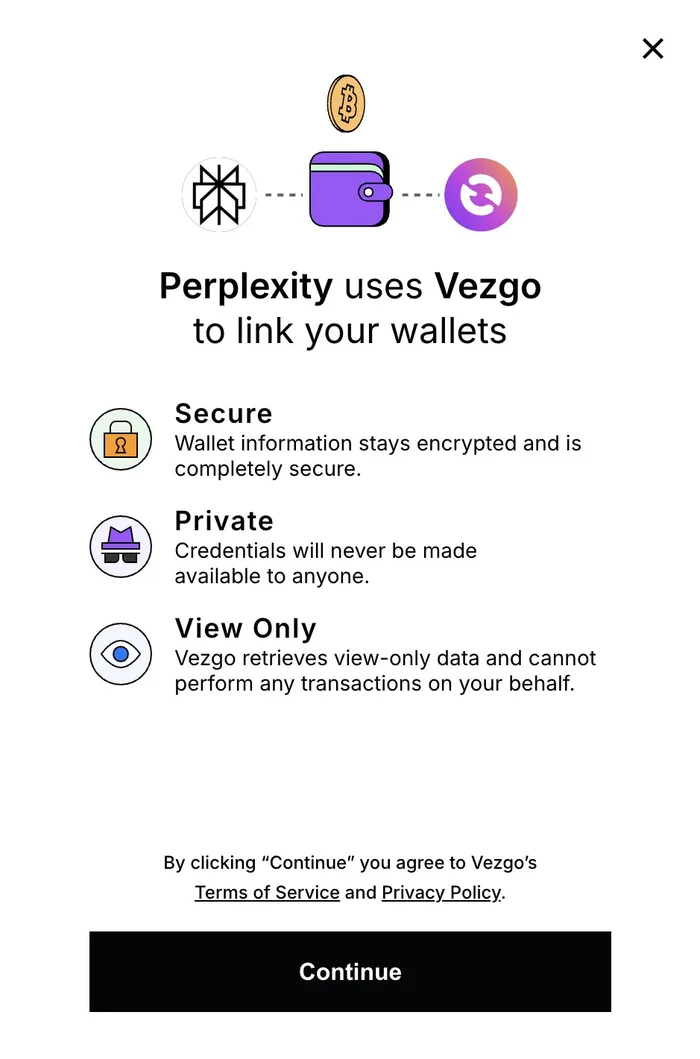
Perplexity users connect all their crypto exchanges, blockchains and wallets to Personal CFO through Vezgo Connect and get to see the whole value of their crypto assets as part of their overall wealth.
Why Connect
Your whole crypto portfolio inside Perplexity Finance and Personal CFO
- 40+Exchanges
Centralized exchanges such as Binance, Coinbase, OKX and many others
- 30+Blockchains
On-chain addresses such as Bitcoin, Ethereum, Base and many others
- 500+Wallets
Self-custody wallets such as MetaMask, Ledger, Exodus and many others
- Read-onlySecure access
Vezgo can view portfolio data but it never moves or trades funds
Step by Step
Two ways to connect your crypto accounts into Perplexity with Vezgo
Via Plugins
PluginsVezgoConnect another account
- 1
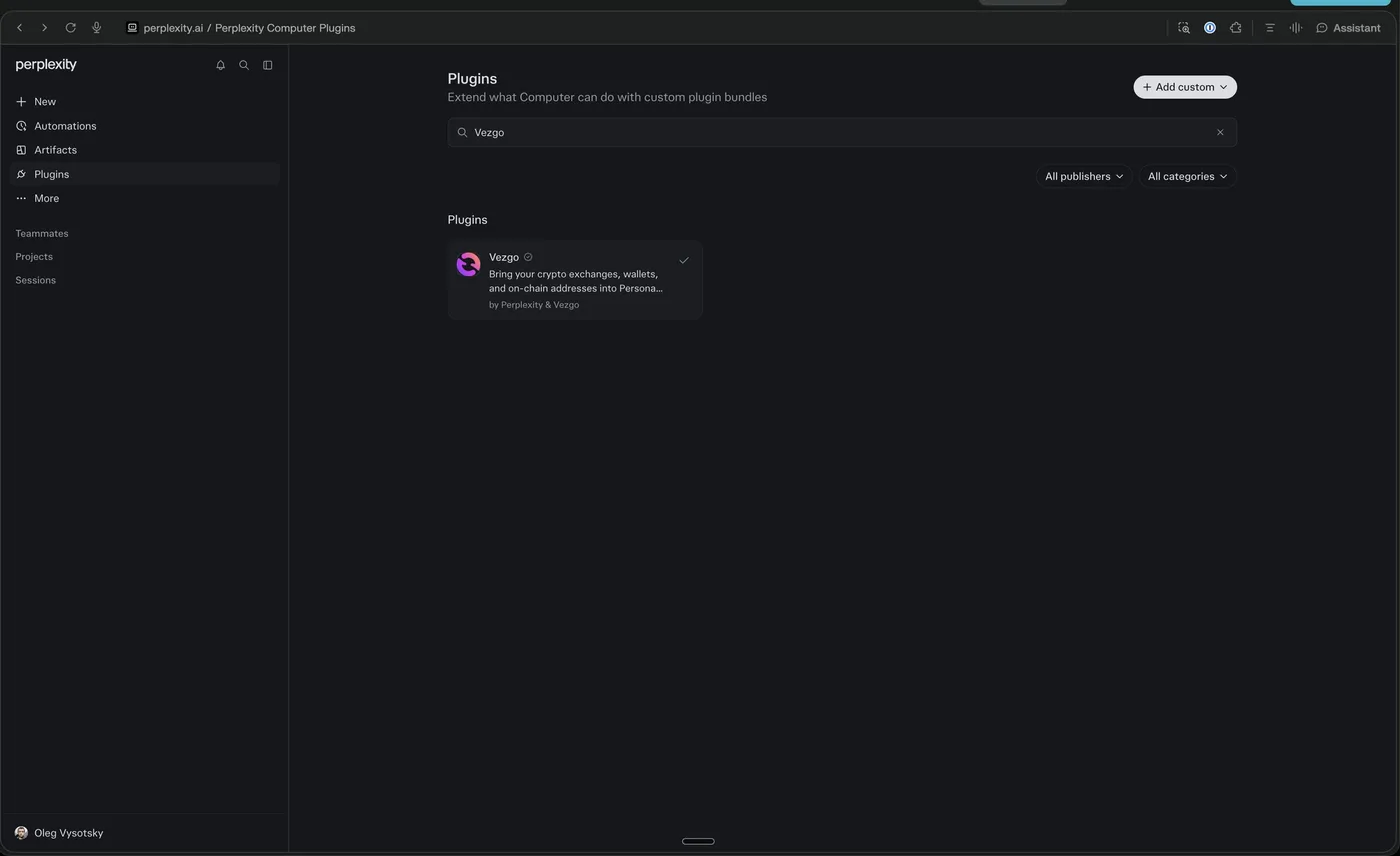
Open Plugins and search for Vezgo
In the left sidebar click Plugins, type "Vezgo" into the search bar and click on the Vezgo plugin card.
- 2
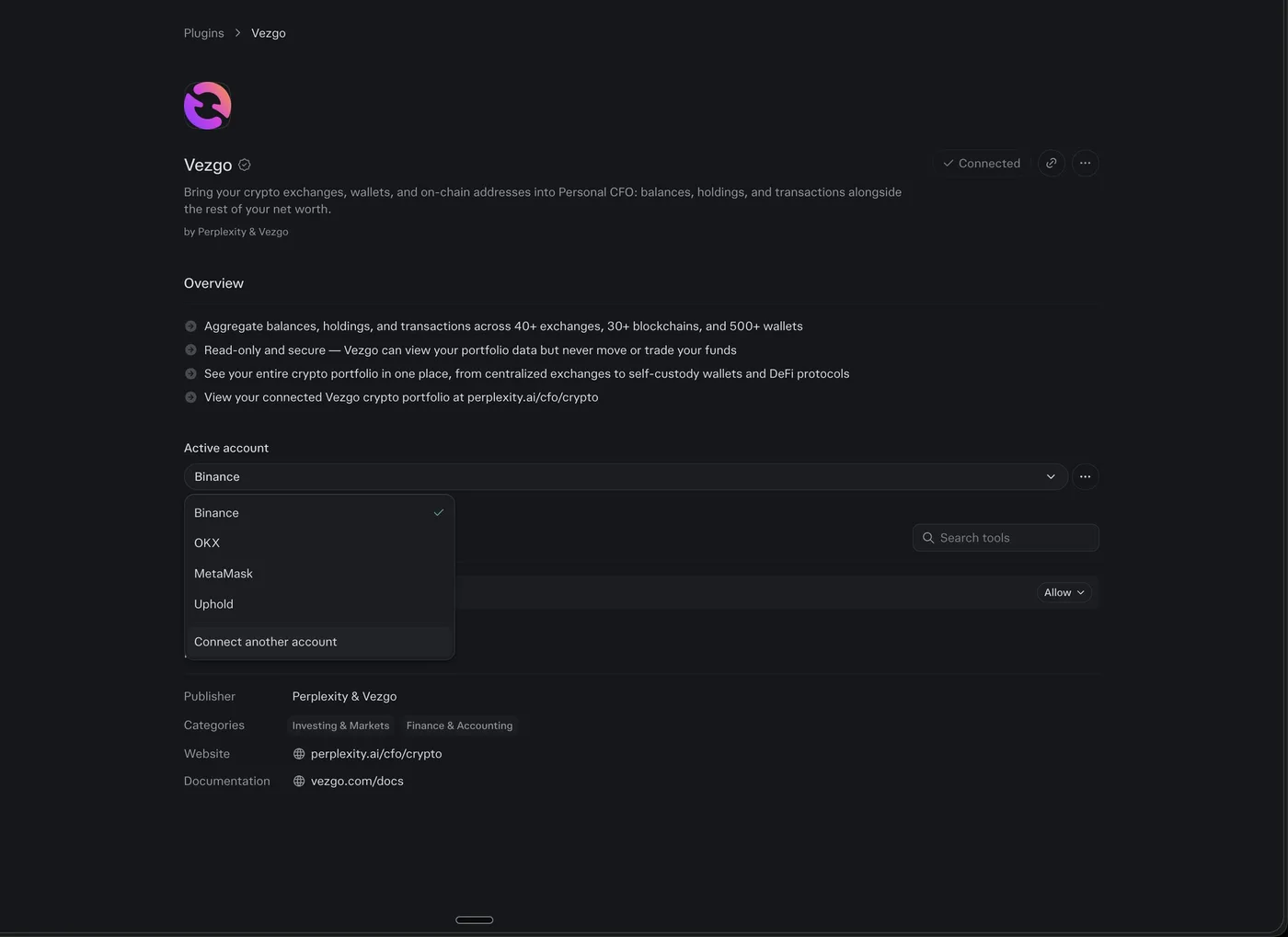
Choose "Connect another account"
The plugin page now indicates that the plugin is Connected once Vezgo is enabled. The Active account dropdown in the left sidebar lists all of the currently connected accounts and allows you to Connect another account.
Via Personal CFO
MorePersonal CFO+ Add AccountCrypto
- 1
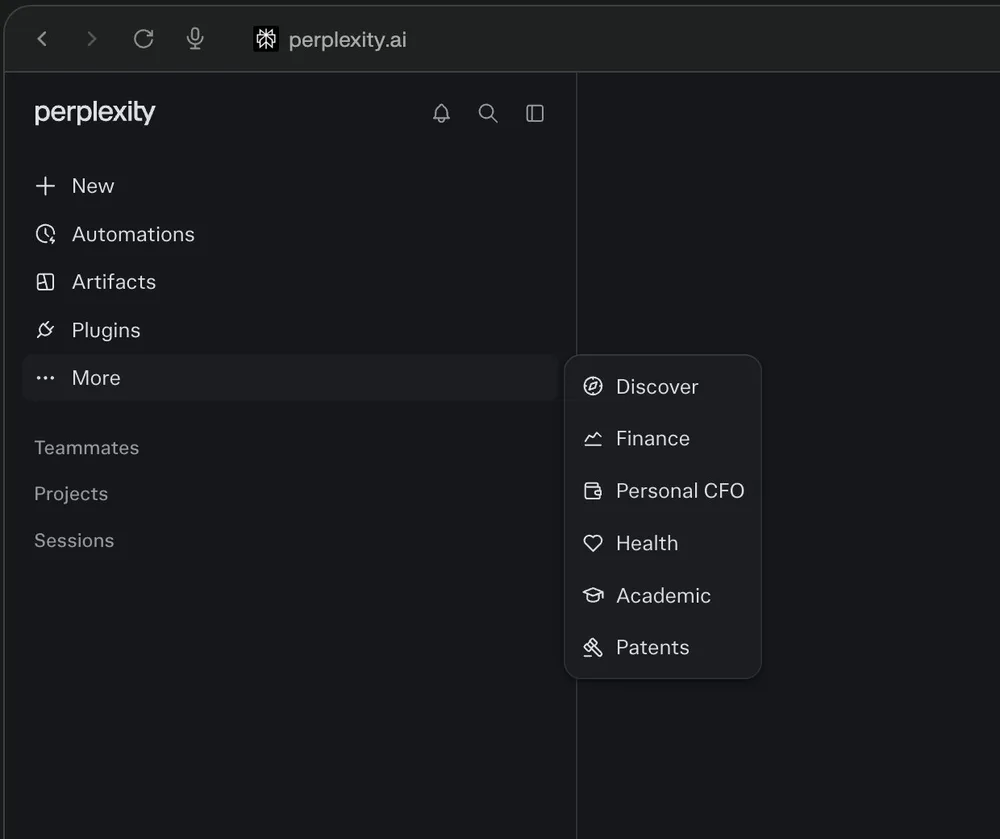
Open Personal CFO from the More menu
In the left sidebar click More / Personal CFO.
- 2
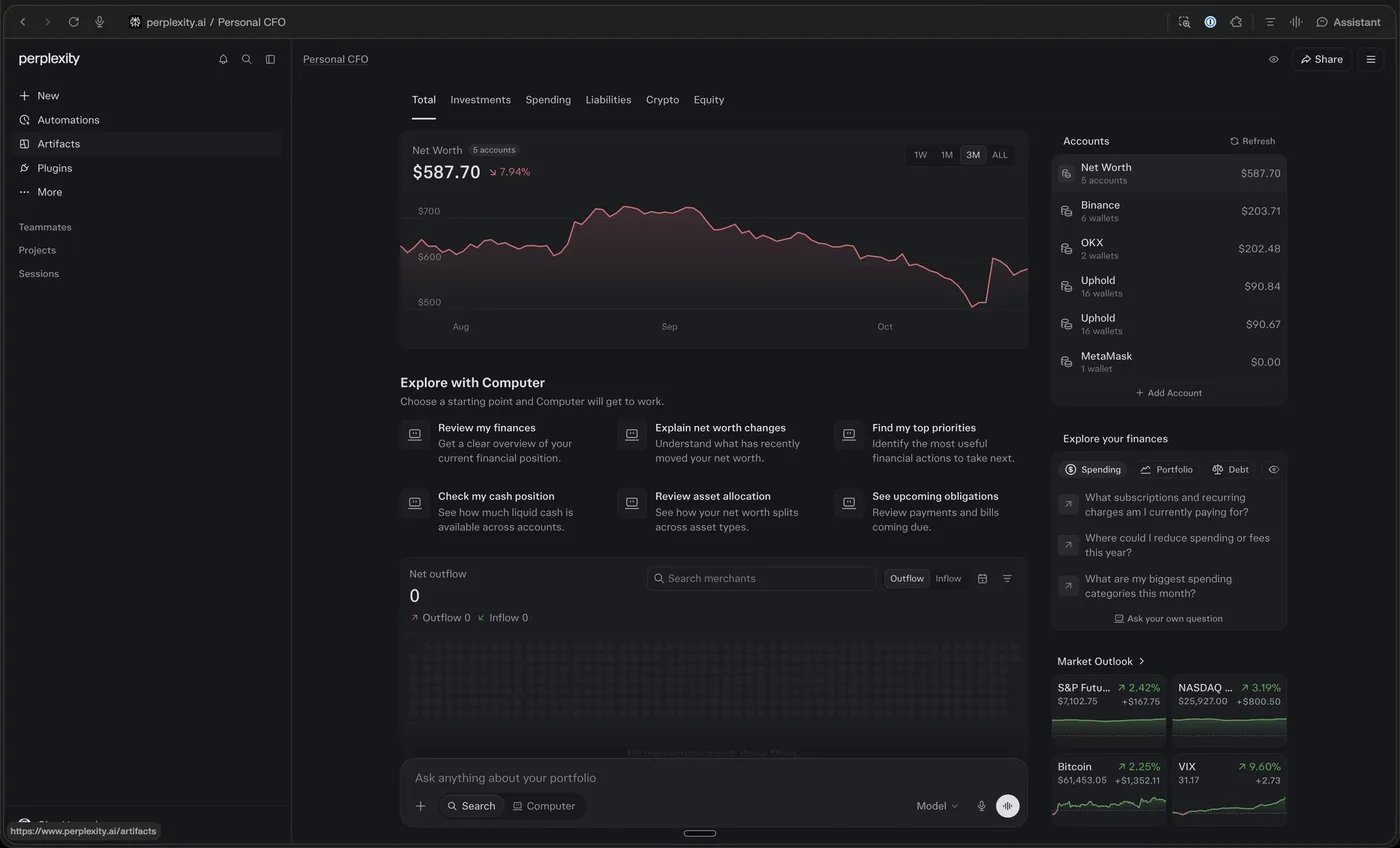
Click + Add Account
Personal CFO tracks your net worth across all connected accounts. Click + Add Account below the list of your Accounts.
- 3
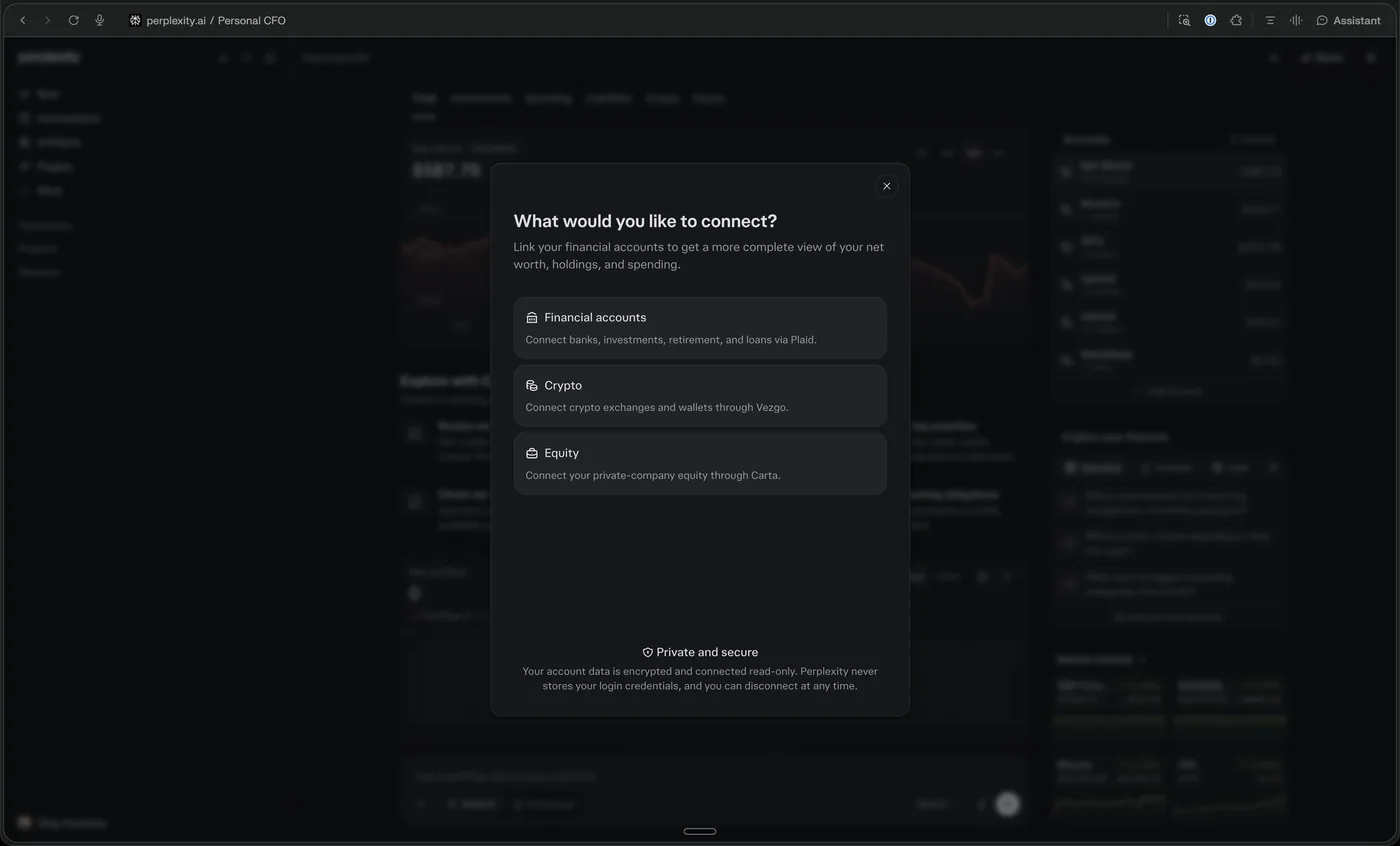
Choose Crypto
Choose Crypto to enable connections to exchanges and wallets via Vezgo. Other partners connect Financial accounts and equity.
Final step
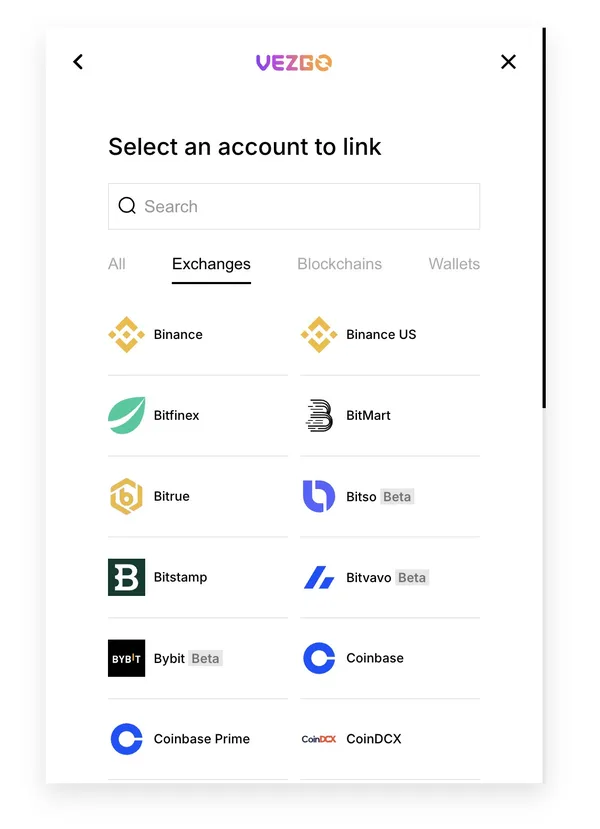
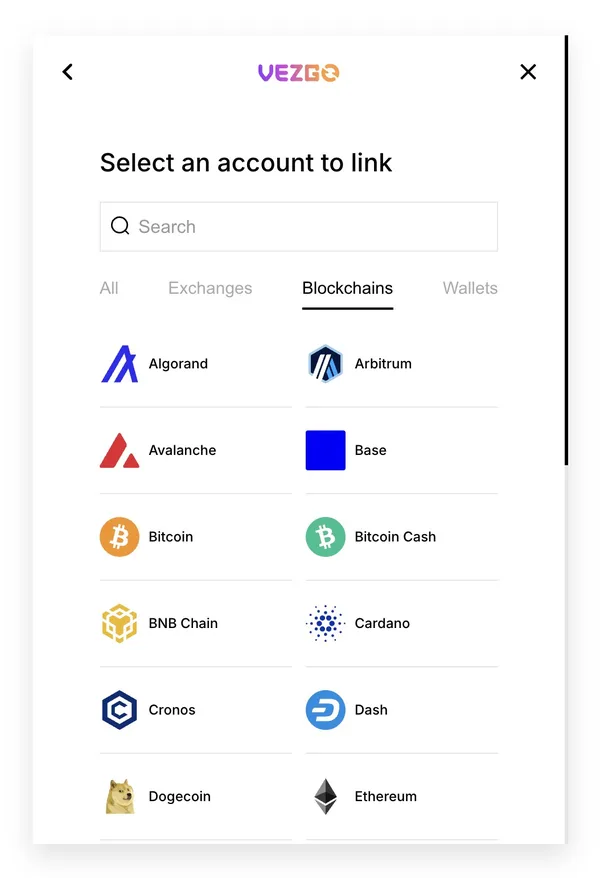
Select the account to link
- Select a category and search
- Pick the provider
- Authorize read-only access
Exchanges
Binance, Coinbase, Bitstamp and 40+ more
Blockchains
Bitcoin, Ethereum, Base and 30+ more
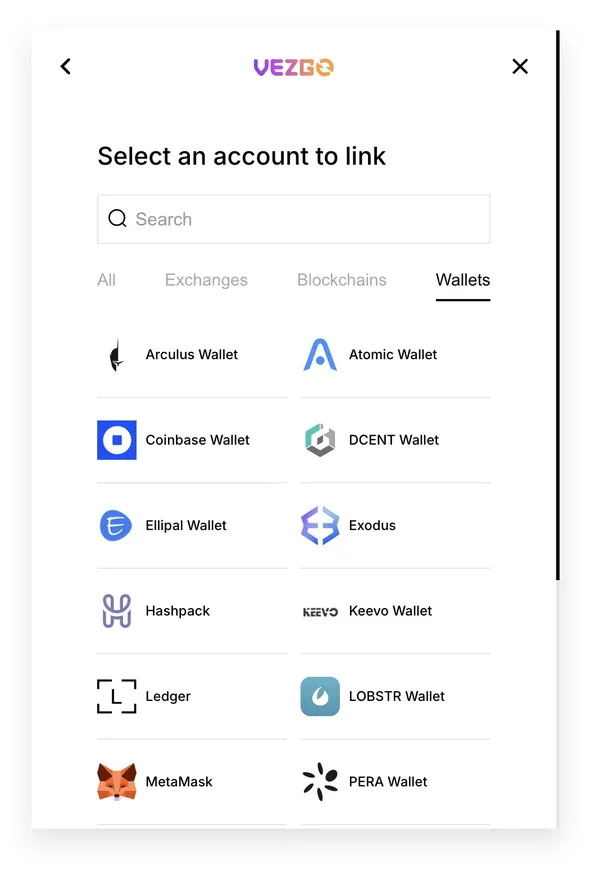
Wallets
MetaMask, Ledger, Exodus and 500+ more
After Linking
Where to find and manage your crypto
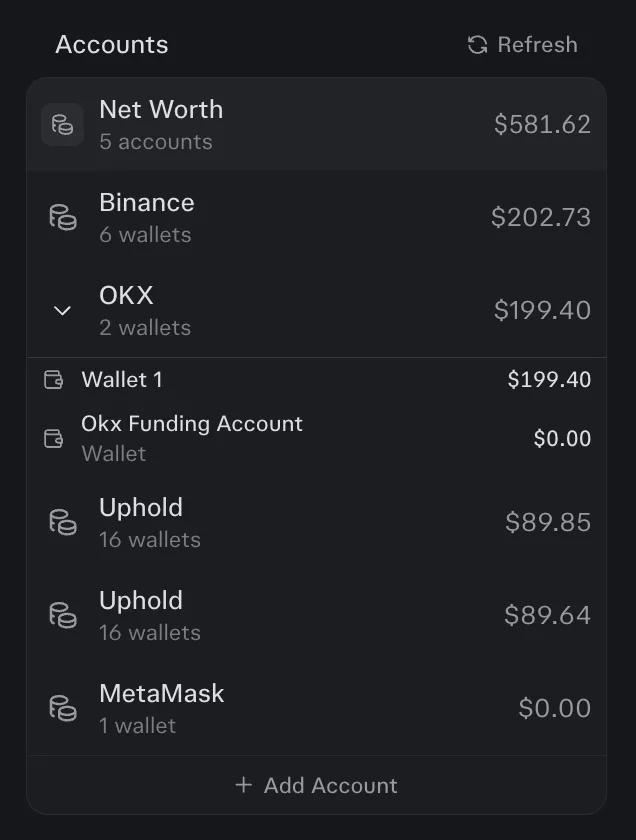
See all linked accounts in Personal CFO
Your accounts are listed in the Accounts panel, including all the exchanges and wallets and their total value. Open the Crypto tab or browse to perplexity.ai/cfo/crypto to view your Crypto Holdings and Transactions.
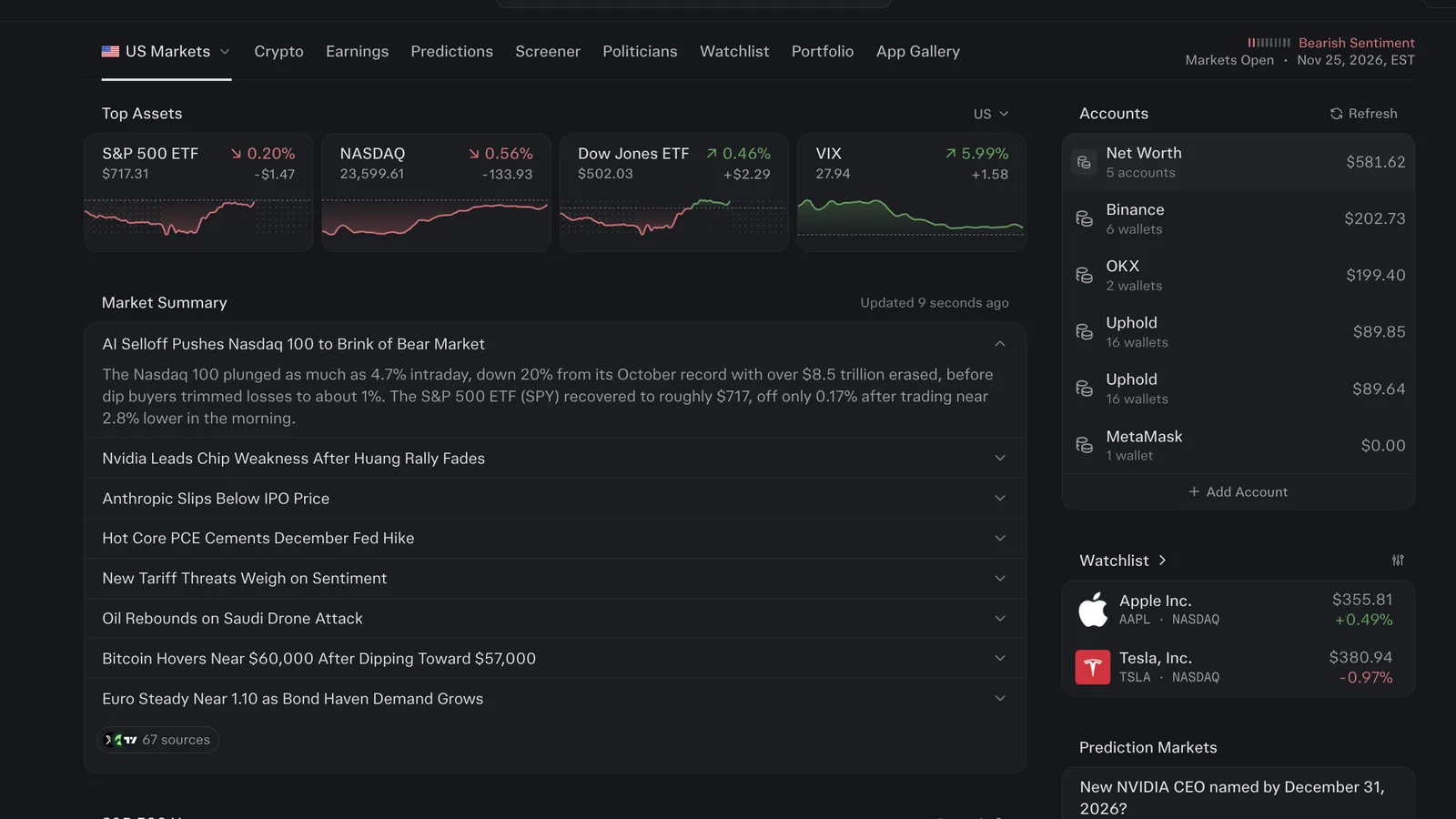
See it in Perplexity Finance
Your crypto accounts are shown next to your crypto market data, your crypto watchlist, and your overall crypto portfolio.
Manage linked accounts
To switch accounts or connect another account, go to Plugins, then Vezgo, then Active account. As with any connected account, you can disconnect at any time.
Ask about your portfolio
You can use prompts like "Review asset allocation" or ask any question regarding your crypto holdings.
For AI Companies
Crypto data layer behind Perplexity ready to be used by your product
Perplexity chose Vezgo to integrate crypto data into Personal CFO next to traditional bank and brokerage accounts.
It connects hundreds of exchanges, many blockchains and hundreds of wallets. All accounts are read only and all data is normalized.
Money is increasingly managed by AI assistants and agents. If your product already supports connecting bank accounts, we can add support for crypto on top using the same Connect widget and API that power Perplexity.
How to Start

Get your API Keys
All of our services are free, and you can instantly get an API key for testing purposes in our free developer portal.

Add Vezgo Connect
Add the Connect widget in your app for your users to connect the exchanges, blockchains and wallets they work with.

Power Your AI
Get the normalized balances, holdings and transactions into your assistant, agents and dashboards.
Ready to get started?

FAQ
Frequently Asked Questions
How does Perplexity use Vezgo?
Perplexity Personal CFO connects Crypto accounts using Vezgo Connect. A user adds a Crypto account or opens the Vezgo plugin within Perplexity Personal CFO. Vezgo then connects to the exchange, blockchain or wallet of the user and retrieves the normalized balances, holdings and transactions.
Can Vezgo or Perplexity move my funds?
To reiterate: No. Vezgo has read-only access to your portfolio data. You can remove any account from Vezgo at any time.
Which crypto accounts can I connect to Perplexity?
40+ Centralized Exchanges (CEXes) including Binance, Coinbase, OKX, 30+ On-chain addresses on 30+ Blockchains including Bitcoin, Ethereum and Base and 500+ Self-custody Wallets including MetaMask, Ledger, Exodus.
Where do I see my crypto after linking?
Open the Crypto tab in Personal CFO (perplexity.ai/cfo/crypto) to see the balances and holdings for your Crypto assets next to your net worth. In the Crypto tab you can also manage the accounts you have linked from Plugins, then Vezgo, then Active account.
Can my AI product offer the same crypto connection?
Yes, Perplexity uses the same Vezgo API and Connect widget as the rest of the Vezgo customers. Sign up for a free account to get your API keys and drop the Connect widget into your app to start pulling the normalized data for all the crypto accounts that your app's users have online.
 Facebook
 Twitter
 LinkedIn
 Reddit